
Early access
Build your own sampled instruments.
KODA is a tool for making and hosting comprehensive, playable sampled instruments - with no programming background required.
Available for Free during Early Access
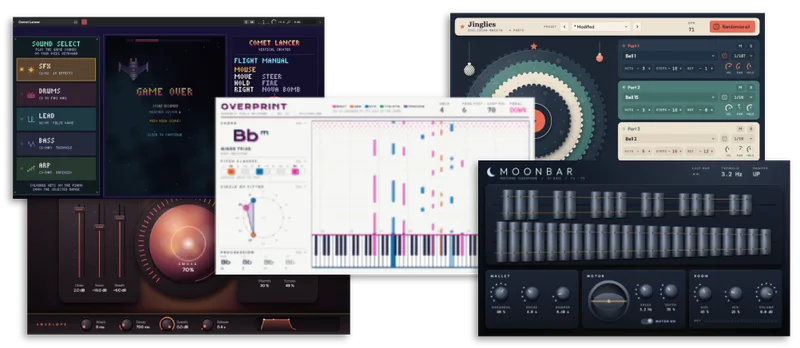
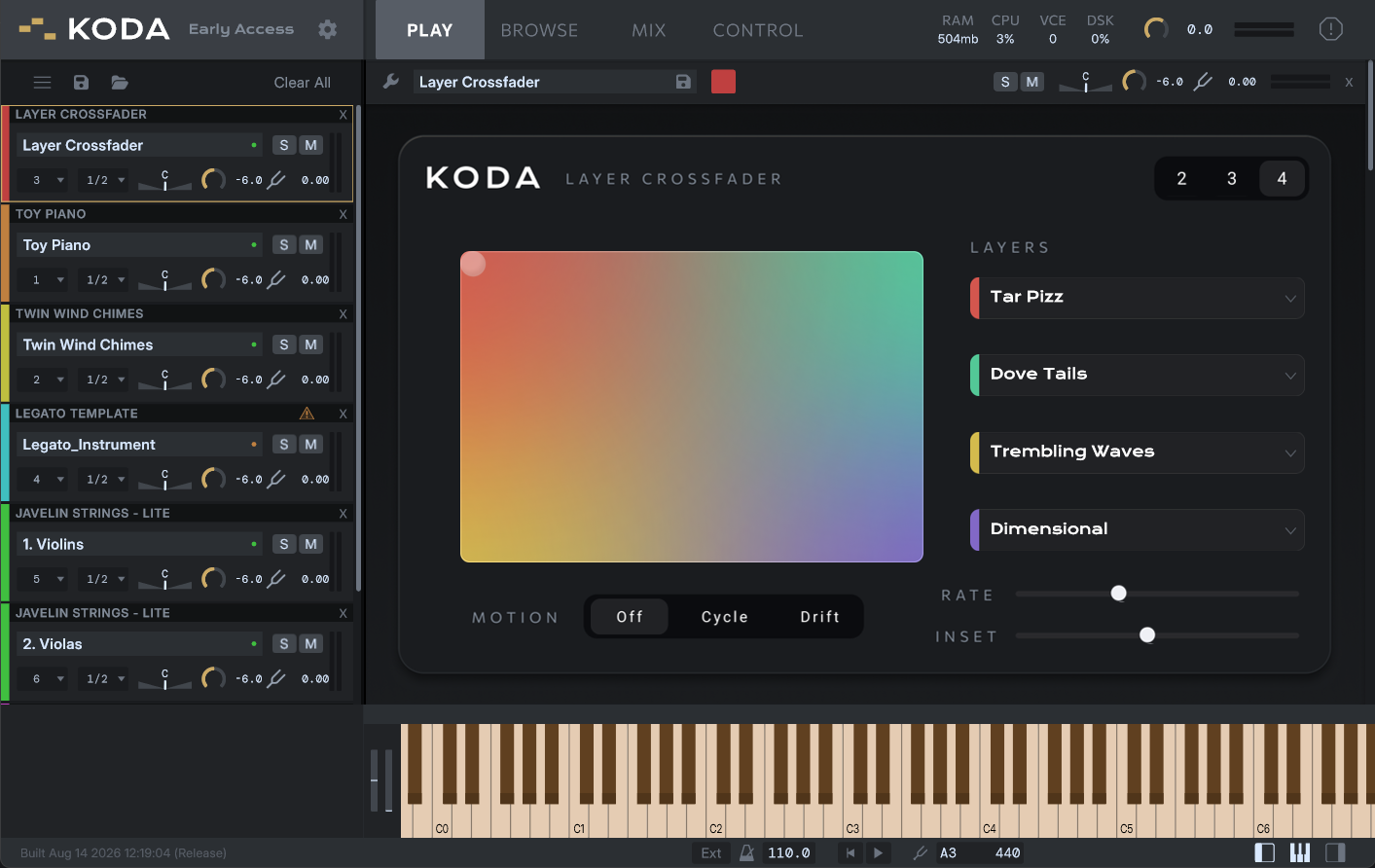
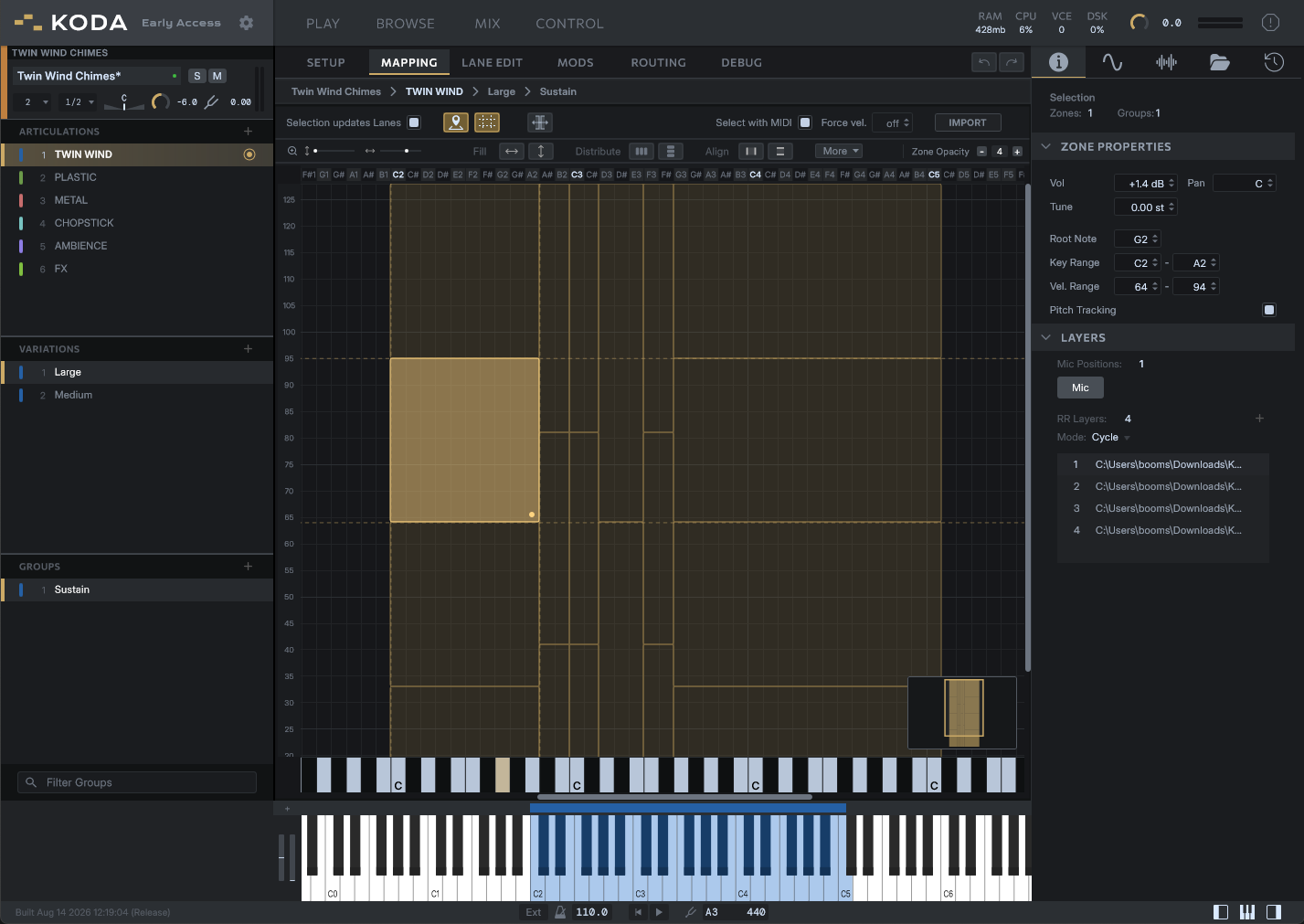
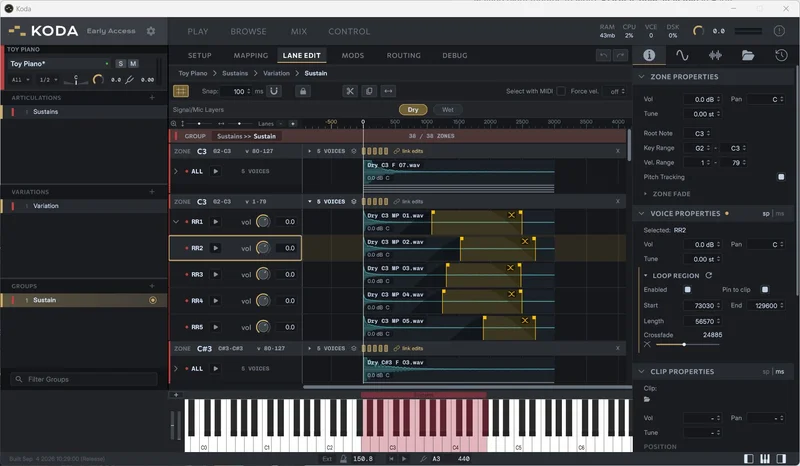
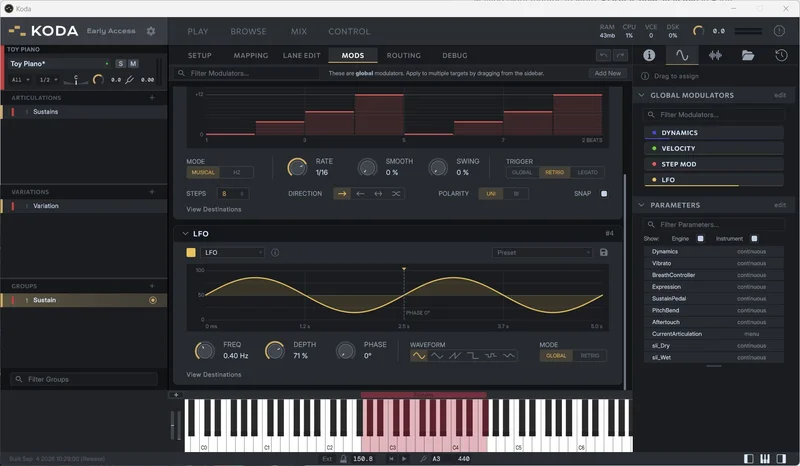
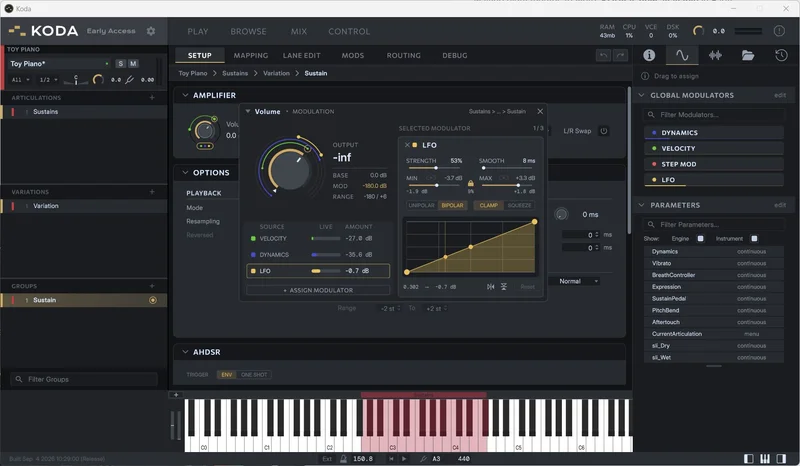
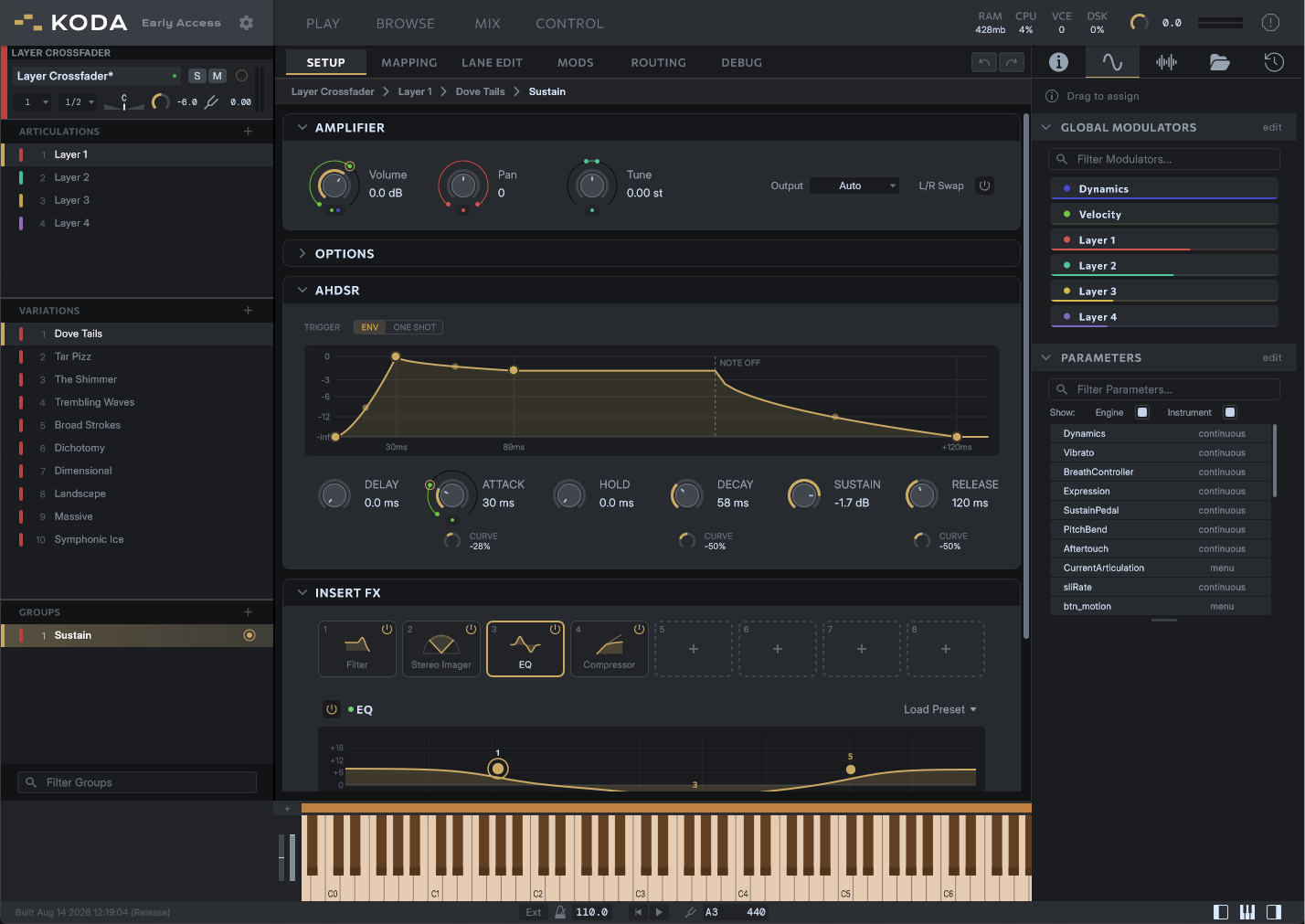
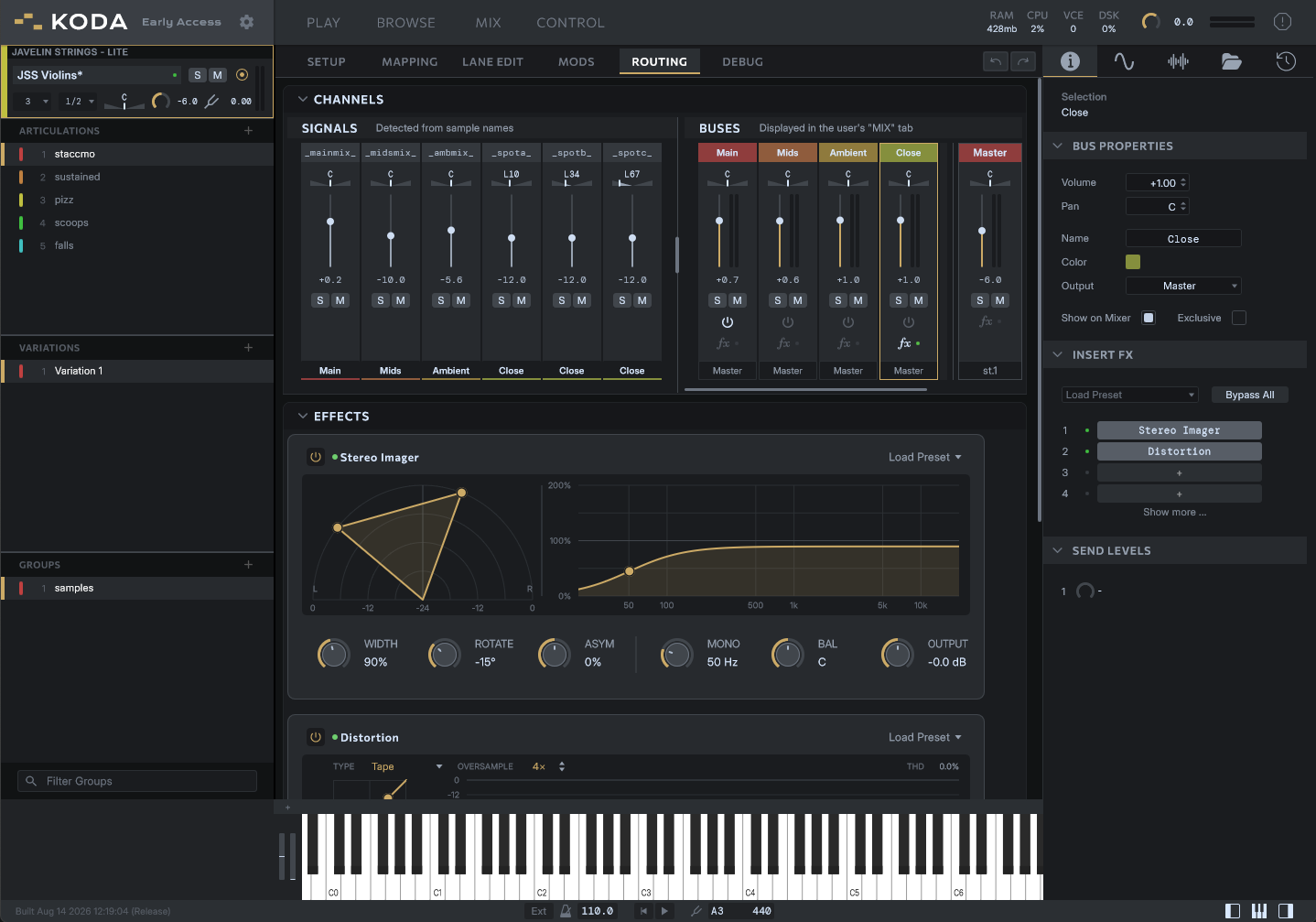

KODA is still in “early access”, which means it isn't finished yet. Can it build an instrument end-to-end? Yes. But we acknowledge there’s more to be done.
Early Access is developer-centric - our focus is on helping you build instruments, and using your experience to influence KODA’s final form.
There is no obligation to connect - but it's a win/win if you do
01
Working in KODA
Multi-layer zones
Round robins and mic positions live inside one zone. You don't need a dozen groups for a single note.
An organized groups list
Articulations, variations, and map groups are real layers in KODA, so a big instrument stays organized
The essentials need no code
Keyswitches, key ranges, mic mixing, modulation and custom controls are already wired up for you.
Edit audio in the lane editor
Offsets, crossfades, loops, and clips sit on a multi-lane timeline. If you've edited in a DAW, you already know how this works.
Scripting, when you want it
The language is built for advanced capabilities and reworked for easier comprehension. It’s there for you, but not a barrier to entry.
Design your GUI in Figma
Draw your instrument's interface in Figma and export it straight into KODA. No UI code. (Note: Figma is optional. GUI’s can be built with script)
02
Where KODA is right now
Early access means what it says. Most of KODA is solid and ready to build with. Some of it is a bit rough around the edges and being refined. And plenty more features are still yet to come. Let us know what you would like us to prioritize, in any of the ways you know how to reach us.
In KODA today
- Structured groups (Articulation > Variation > Map Group)
- Keyswitches & articulation group types
- “No code” Key ranges, mic positions, round robins
- Lane editor for clip-based editing
- Drag and drop modulation with flexible parameters
- Insert effects at the group & bus level
- Intuitive routing with signals (mic positions), buses, and sends
- Support for custom Cmajor DSP effects
- Volume crossfader module (overlays volume curves of multiple groups)
- Global modulators for applying the same source to multiple destinations
- Timestretching with variable quality options
- Figma GUI import
- Script-drawn GUIs (both vector and rasterized)
- Undo / redo with history
- Un-dockable, resizable views
- Dedicated user-facing MIX view (early UI)
- Instrument delay reporting
- Velocity & note crossfades
- LITE option from the download manager (<10% of the raw size)
- Quick Zone / waveform editing in Mapping view
- MCP & API hooks
On the way
For developers
- Enhancements to Tempo & beat-based workflows
- Factory GUI widgets for no-code builds
- Built-in legato modes
- Engine-based script editor
- Articulation-level scripts
- Instrument Presets (aka Snapshots)
- Analysis and detection tools to speed up editing
- Shared memory between instruments
- MIX automation
For users
- User Mic merging
- CONTROL tab for custom macros and automation assignments
- “Multi-scripts”
- Instrument grouping in the rack panel
Use the “Feedback” section of your account dashboard to request a feature not listed above
03
Build now, sell later.
A marketplace for KODA instruments is on the way. You set the price, we take a percentage-based commission per sale, and hosting costs nothing up front. Licensing, delivery, and updates are handled for you. The finer details are still being worked out. The three paths below are settled, and none of them lock you in.
Path 01
List on the marketplace
Put your library in front of every KODA user. We handle licensing, payment, resumable downloads, and delta updates. No upfront cost, just a percentage of each sale.
Path 02
Sell through your own store
Buy licenses in bulk from your developer dashboard and sell wherever you already sell. Your customers still activate and install through the KODA Manager.
Path 03
Skip our systems entirely
Don't want your products licensed, encoded, or managed by us at all? Distribute your KODA libraries however you like. The marketplace is there to make things easier for you. It's not mandatory.
Self-serve activation
Machine-based activation that customers manage themselves in the KODA Manager. Once activated, KODA and your libraries can work offline indefinitely.
One dashboard for the business
Licenses, products, and customers in one place. It's the same dashboard you buy bulk licenses from.
Downloads a tenth the size
Lossless encoding, or lossy that cuts library size by roughly 90%. Offer either or both, and each customer picks what to install.
Encrypted on your machine
The plan: you encode and encrypt locally, then submit the sealed build for approval. Your raw samples stay with you.
Commission rates and final terms will be announced during early access. What you make now will be ready to list the day the store opens.
04
If you've never built an instrument
You don't need to be a programmer to build with KODA. You'll still have to learn how your instrument works, but you'll be learning KODA, not a new language.
Start with the essentials. Round robins, mic mixing, volume crossfades, and custom controls all work without code. Pull apart the free example libraries to see how they're put together, and ask questions in the community when you get stuck. Scripting is there when you outgrow the defaults, not the barrier to entry.
Read the manual →05
Common questions
What does early access actually mean?
Anybody can get a licensed copy of KODA for free while we finish version 1. We're not setting a strict end date. Expect at least three months, and we'll reassess from there.
Will my free version expire once version 1 is released?
No. At least for now, there is no expiration date set for your license. By using KODA in the Early Access period, you’re helping it to grow when we need you the most. Ultimately, we want to take good care of you. But do understand that “all terms are subject to change blah blah” at this time.
Can people play what I build?
Yes. There is one version of KODA, and all KODA libraries will work in it. We don’t know for certain that it will always be this way, but this is the structure we are working towards, and aligns with our broader philosophy about barriers and gatekeeping.
Can you tell me more about the programming language?
For performance scripts, we use "KodaScript", which is a simplified domain-specific language that transpiles to Cmajor - a C-family language optimized for real-time DSP and audio applications. KODA also supports plain Cmajor for building your own Insert Effects.
Do I need to know how to code?
No. But this will depend on two things: What you are wanting to achieve with your instrument, and whether you choose to use an AI coding agent (ChatGPT, Claude, etc.) We are building KODA to suit both the experienced programmer, and the person who never wants to touch a line of code. If KODA lights your spark for wanting to code, then we can certainly point you in the right direction for getting started.
Does KODA “phone home” or need the internet?
KODA itself does not phone home or connect to the internet. It does not contain a store, ads, or an account portal. Instead, it communicates locally to the KODA Product Manager, which is a separate app dedicated to handling the network traffic and license checks.
How rough is “Early Access”, honestly?
It’s a fair question. Almost all of it, as presented today, is not really rough at all. There will be some UI refinements left to make, some missing features that you might expect (see the “Where KODA is right now” section higher up on this page). But overall, we have worked hard to make sure that the features that are available today, are not half-baked, or clumsy to use. It is in our best interests that you are able to hit the ground running, from the moment you download the app. We believe in making a good first impression. And we believe KODA is now ready to make that.
What does it run on?
Windows and MacOS, as a standalone app or as a VST3 and AU plugin in your DAW.
How do I send feedback?
You can connect directly with us in our Discord server, post on our community forum, send us an email, complain on reddit, or submit a bug report or feature request using this form. Your feedback will influence what we prioritise during the next stages of development. Our channels are open, and we are happy to help.
Early access
Come build with us.
Create an account, download the KODA Product Manager, and you’ll get KODA plus a handful of libraries to play with or pull apart. Your copy is free, and your feedback shapes what ships next.
Windows and macOS. Standalone, VST3, and AU.